

Kashido
Cleaner Arabic text in CapCut Desktop.
Kashido is a focused Windows utility by TREVIK that corrects eligible Arabic text containing Kashida as you copy it, so it can be pasted into CapCut Desktop without broken letter connections.
The problem
Arabic Kashida can break the paste.
Arabic text containing Kashida can lose its connected letterforms when pasted into CapCut Desktop, leaving characters visually separated or fragmented.
The issue is specific to eligible text containing the Kashida — or Tatweel — character (U+0640), rather than Arabic text in general.
The solution
Fix the copy before the paste.
Kashido works at the clipboard level. When eligible Arabic text is copied, the app detects and normalizes the relevant Kashida characters in memory before the text reaches CapCut.
There is no extra editor, conversion window, or manual processing step. Copy normally, let Kashido handle the eligible text in the background, then paste into CapCut Desktop.
How it works
Copy. Kashido fixes. Paste.
No complex setup or extra editing step. Kashido stays in the Windows system tray and works inside the copy-and-paste workflow you already use.
01 — Copy normally
Copy eligible Arabic text containing Kashida from your script, browser, document, or writing tool.
Input · Standard copy02 — Kashido fixes it
Kashido detects and normalizes eligible Kashida characters locally in memory as the text is copied.
Processing · Automatic03 — Paste into CapCut
Paste the corrected text directly into a CapCut Desktop text layer.
Output · Cleaner Arabic text
Controls
A utility, not another workflow.
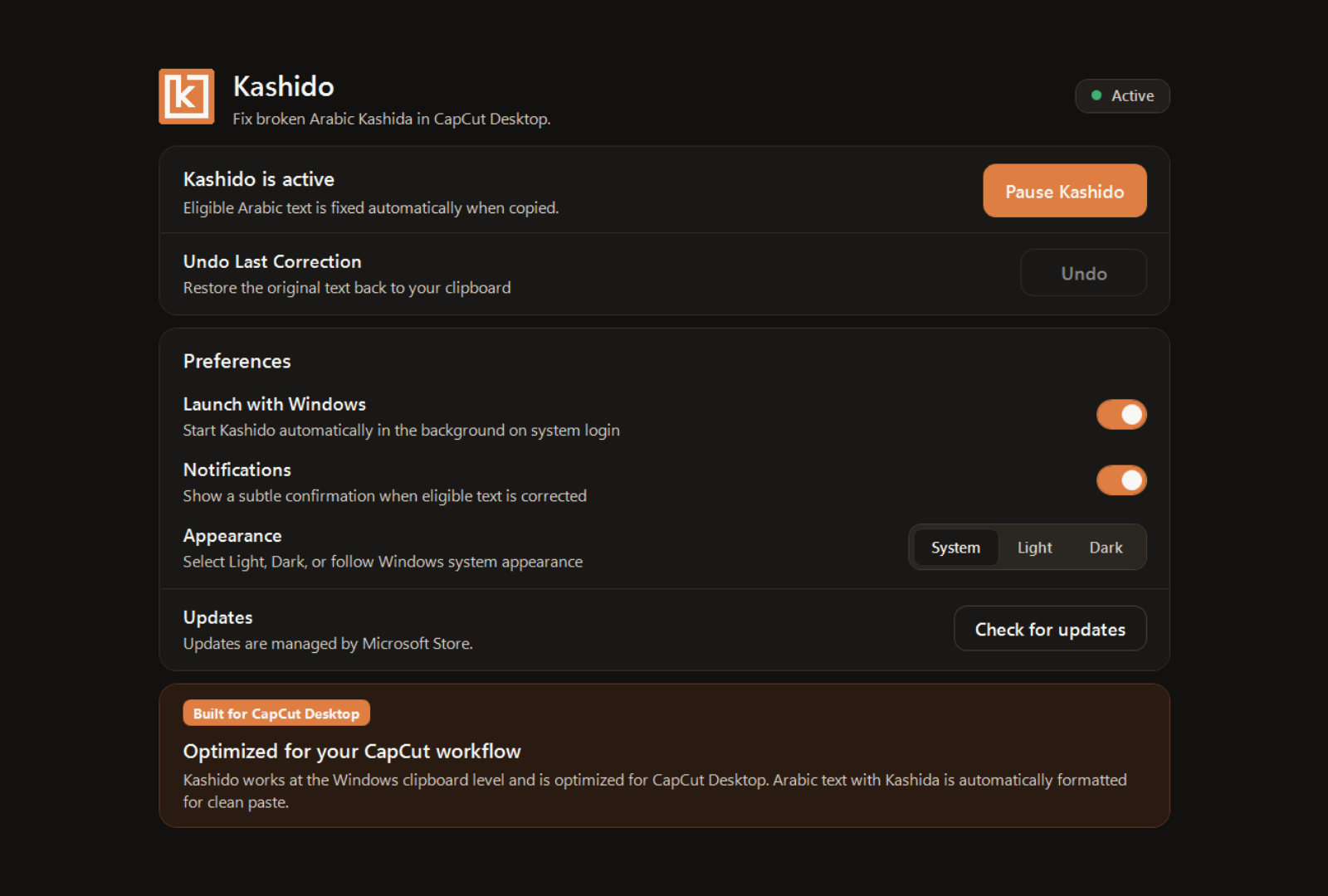
Kashido is designed to stay available in the background while keeping control close whenever you need it.
- Automatic Correction
- Eligible Arabic text containing Kashida is detected and corrected automatically when copied.
- Pause / Resume
- Temporarily disable clipboard processing whenever you want copied text to remain untouched.
- Undo Last Correction
- Restore the original text from the most recent successful correction when you need the unmodified version.
- Launch with Windows
- Start Kashido automatically when you sign in to Windows.
- Subtle Notifications
- Receive quiet correction confirmations, or disable them for a more silent workflow.
- System Tray Workflow
- Access status, pause controls, and settings directly from the Windows system tray.
Privacy by design
Your text stays on your machine.
Kashido's core correction runs locally on your Windows device. Clipboard text used for correction is not sent to cloud services or remote APIs, and the app does not maintain a persistent clipboard history.
On-device processing
Core text correction takes place locally in volatile memory on your Windows device.
No persisted clipboard history
Kashido does not save a history or log of copied clipboard text to disk.
No account required
Install and use Kashido without creating a user account.
No behavioral telemetry
The current Early Access desktop version does not include product analytics, usage telemetry, or behavioral tracking.
Built around one problem
Focused by design.
Kashido does not try to rewrite Arabic, replace your editor, or become another layer in the creative process.
It solves one specific compatibility problem and stays out of the way when that problem is not present.
Kashido by TREVIK
Better Arabic text in CapCut Desktop, without changing your workflow.
Kashido is free for Windows and available through Microsoft Store and kashido.app.
Availability
Built for Windows.
The Microsoft Store is the recommended installation path. A standalone installer is also available from Kashido's official website.
| Platform | Windows 10 / 11 |
|---|---|
| Architecture | x64 architecture |
| Current version | Version 1.0.0 |
| Release state | Early Access |
| Price | Free |
| Microsoft Store ID | 9NN1LRBWMTWH |
| Support email | support@ |